Offline Device Protection Guide 2025
Master crypto security device protection with our complete protection guide
Introduction
Hardware wallet security is the best way to protect cryptocurrency in 2025. It provides military-grade defence. Special devices use advanced security protocols and secure chip technology. These create strong barriers protecting your private keys from attackers. Hardware wallet technology evolved from simple USB devices into advanced security platforms with tamper-proof hardware.
Modern hardware wallets use secure chips certified to high security standards. They resist side-channel attacks. Advanced protection systems guard against both physical and digital threats. Professional crypto security requires understanding key principles including smart key generation and word-based backup phrases.
The threat landscape evolved dramatically. Nation-state actors and crime groups develop advanced attack methods. Modern threats include supply chain attacks, physical device tampering, and technical analysis. Social engineering campaigns exploit human psychology. Understanding these threats is essential.
Hardware wallet security goes beyond device selection. It includes complete operational security covering physical security, digital hygiene, and backup procedures. Professional security needs systematic threat planning. Multiple protection layers guard against various attack methods.
The financial stakes keep rising. Security breaches cost billions of dollars annually. Professional security can achieve very high protection levels comparable to central bank vaults whilst staying accessible.
Regulatory rules increasingly demand strong security practices. Financial institutions must use institutional-grade security. Hardware wallets provide the foundation with verifiable security and complete audit trails.
Hardware wallets work with decentralised finance protocols and multi-signature systems. These advanced features allow advanced financial operations whilst keeping security.
The evolution of hardware wallet technology reflects the maturation of the cryptocurrency industry. Early devices offered basic key storage with limited functionality. Modern hardware wallets provide comprehensive security ecosystems with advanced features including biometric authentication, secure element chips, and sophisticated firmware protection mechanisms that defend against increasingly sophisticated attack vectors.
Understanding hardware wallet security requires knowledge of both technical implementation and operational best practices. The technical aspects include cryptographic key generation, secure element architecture, and firmware verification processes that ensure cryptographic operations remain secure. Operational security encompasses physical device protection, backup procedures, and transaction verification protocols that prevent common attack vectors targeting user behaviour and operational workflows.
The investment in proper hardware wallet security pays dividends through peace of mind and asset protection. Whilst hardware wallets represent an upfront cost, they provide insurance against the catastrophic losses that plague users relying on less secure storage methods. Professional cryptocurrency holders recognise that security infrastructure is not an expense but rather a critical investment in asset preservation. The cost of quality hardware wallet solutions remains minimal compared to the value of assets they protect and the potential losses they prevent.
This comprehensive guide examines every aspect of hardware wallet security, from fundamental concepts to advanced implementation strategies. We explore device selection criteria, setup procedures, operational security practices, and emergency response protocols. Whether you are securing your first cryptocurrency holdings or managing institutional-grade portfolios, this guide provides the knowledge needed to implement professional-grade security measures that protect your digital assets against all known threat vectors whilst maintaining the accessibility and convenience required for practical daily operations.
Why Hardware Wallet Security Matters
Cold storage devices are the gold standard for crypto security. They're only as secure as how you use them. Billions of dollars in crypto get stolen each year. Hacks happen. Phishing occurs. User mistakes are common. Proper device security is crucial. It protects your digital assets.
This complete guide covers everything you need to know. It explains securing your crypto. Cold storage solutions are discussed. Initial setup is covered. Advanced security practices are included.
Understanding Hardware Wallet Architecture and Cryptographic Foundations
Hardware wallets are advanced security devices. They protect your cryptocurrency private keys. The devices use special secure chips. These chips meet high security standards. They generate random numbers safely. Physical tampering is detected automatically.
The wallet architecture uses smart key generation. It follows industry standards. You can create unlimited addresses. All addresses come from one master seed. The system uses word-based backup phrases. These phrases are easy to remember. They keep your crypto safe.
Secure chips form the core security. They use dedicated processors. These processors handle sensitive operations. They work in protected environments. Outside interference cannot reach them. Advanced protections are built in. These stop various attack methods. Your keys stay completely safe.
Best Cold Storage Devices for Security in 2025
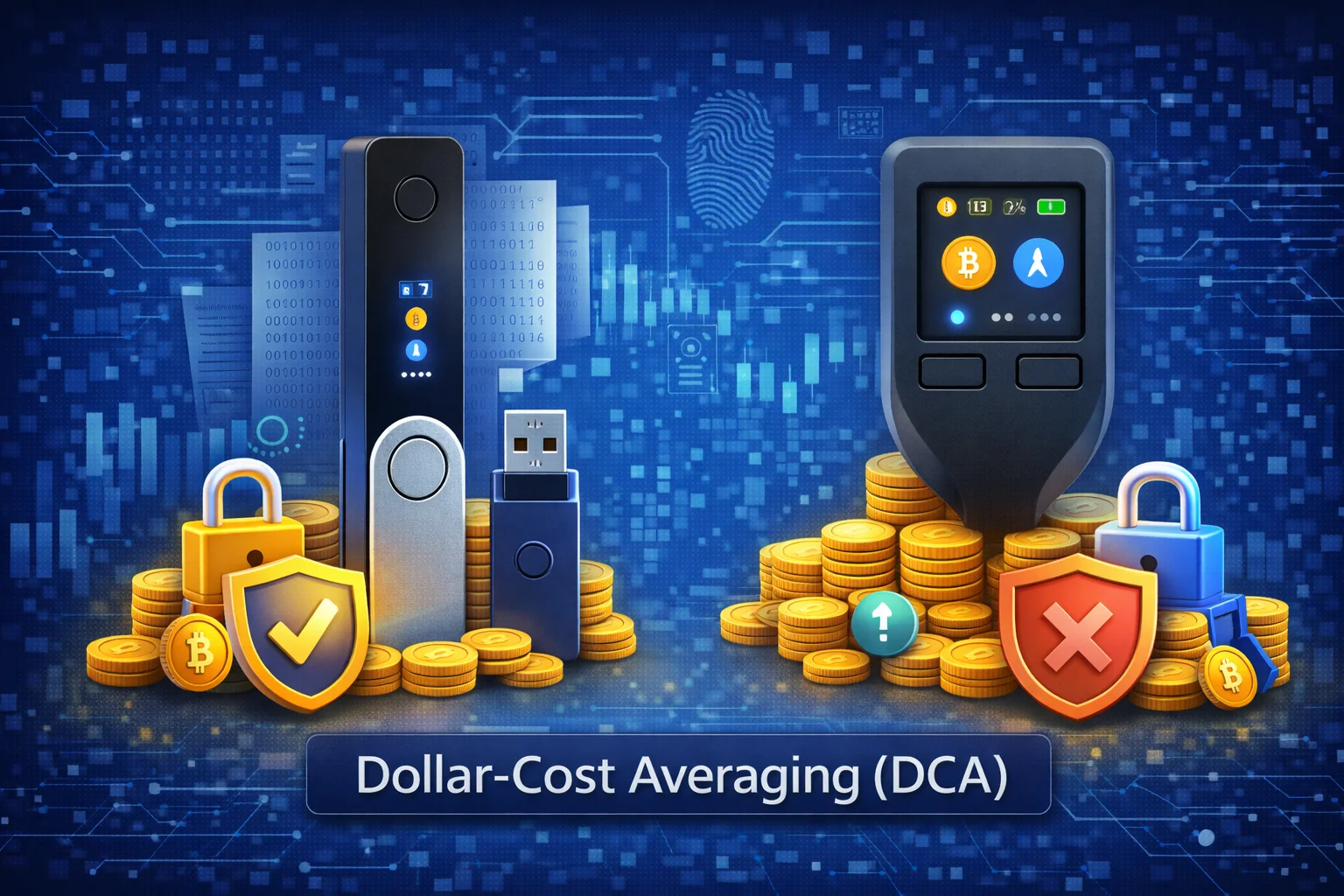
1. Ledger Nano S Plus - Most Popular
Ledger devices are the most widely used crypto wallets:
- Security: CC EAL5+ certified secure element
- Supported Assets: 5,500+ cryptocurrencies
- Price: $79 (Nano S Plus)
- Features: Bluetooth (Nano X), large screen
- Best For: Beginners and experienced users
2. Trezor Model T - Open Source
Trezor offers fully open-source offline wallet solutions:
- Security: Open-source firmware and hardware
- Supported Assets: 1,800+ cryptocurrencies
- Price: $219 (Model T)
- Features: Touchscreen, Shamir Backup
- Best For: Privacy-focused users
3. Keystone Pro - Air-Gapped Security
Keystone provides maximum security through air-gapped design:
- Security: 100% air-gapped, QR code communication
- Supported Assets: Bitcoin, Ethereum, and major altcoins
- Price: $169 (Pro model)
- Features: Large touchscreen, camera for QR codes
- Best For: Maximum security requirements
- Security: Open-source firmware and hardware
- Supported Assets: 1,600+ cryptocurrencies
- Price: $219 (Model T)
- Features: Touchscreen, passphrase support
- Best For: Privacy-focused users
3. Tangem - Card Format
Tangem offers unique card-style secure devices:
- Security: NFC-allowd smart card
- Supported Assets: 6,000+ cryptocurrencies
- Price: $50-65
- Features: No batteries, ultra-portable
- Best For: Mobile users, backup solution
Cold Storage Device Setup Security
Pre-Setup Security Checklist
- Buy Direct: Only purchase from official manufacturers
- Check Packaging: Verify tamper-evident seals
- Verify Authenticity: Use manufacturer's verification tools
- Secure Environment: Set up in private, secure location
- Clean Computer: Use malware-free computer
Initial Setup Process
Step 1: Generate New Seed
- Always generate a new seed phrase
- Never use a pre-generated seed
- Ensure randomness during generation
- Write down seed phrase immediately
Step 2: Secure Seed Phrase Storage
- Write on paper or metal backup
- Store in multiple secure locations
- Never store digitally or take photos
- Consider using seed phrase splitting
Step 3: Set Strong PIN
- Use 6-8 digit PIN minimum
- Avoid obvious patterns (1234, birth year)
- Don't reuse PINs from other devices
- Remember: PIN is device-specific
Step 4: Enable Additional Security Features
- Set up passphrase (25th word) if supported
- Enable auto-lock timeout
- Configure transaction confirmation settings
- Update firmware to latest version
Advanced Security Practices and Professional Implementation Strategies
Comprehensive Passphrase Security Architecture
Passphrase useation represents advanced security enhancements. Modern hardware wallets create mathematically distinct wallet instances. These provide plausible deniability. Physical seed phrase compromise is prevented. Advanced passphrase strategies include multiple passphrase layers. Decoy wallet configurations add security. Sophisticated access control systems protect high-value assets. Operational accessibility is keeped. Routine transactions continue.
Seed Phrase Security
Physical Backup Methods
Paper Backups
- Pros: Simple, cheap, widely available
- Cons: Vulnerable to fire, water, fading
- Best Practice: Use archival paper and ink
- Storage: Waterproof, fireproof container
Metal Backups
- Pros: Fire/water resistant, durable
- Cons: More expensive, requires tools
- Options: Stamped plates, engraved cards
- Materials: Stainless steel, titanium
Seed Phrase Splitting
Advanced technique for distributing seed phrase security:
- Shamir's Secret Sharing: Cryptographic splitting
- Simple Splitting: Divide words across locations
- Benefits: No single point of failure
- Risks: Increased complexity
Operational Security (OpSec)
Transaction Security
Address Verification
- Always verify addresses on device screen
- Check first and last characters minimum
- Use address book for frequent recipients
- Beware of clipboard malware
Transaction Amount Verification
- Verify exact amounts on device
- Check transaction fees
- Understand what you're signing
- Take time to review complex transactions
Computer Security
- Dedicated Computer: Use separate computer for crypto
- Updated Software: Keep OS and wallet software updated
- Antivirus: Use reputable antivirus software
- Network Security: Avoid public WiFi for transactions
Physical Security
- Device Storage: Secure location when not in use
- Travel Security: Carry discreetly, use decoy wallets
- Home Security: Safe or security deposit box
- Privacy: Don't advertise your crypto holdings
Common Security Mistakes
1. Buying from Third Parties
- Risk: Pre-compromised devices
- Solution: Buy only from official sources
- Verification: Check authenticity upon receipt
2. Digital Seed Storage
- Risk: Photos, cloud storage, digital files
- Solution: Only physical backups
- Exception: Encrypted, offline storage only
3. Inadequate Backup Testing
- Risk: Unreadable or incorrect backups
- Solution: Test recovery process
- Frequency: Annual backup verification
4. Sharing Security Information
- Risk: Social engineering attacks
- Solution: Never share seed, PIN, or passphrase
- Education: Educate family members
5. Ignoring Firmware Updates
- Risk: Known vulnerabilities
- Solution: Regular firmware updates
- Verification: Only from official sources
Emergency Procedures
Device Loss or Theft
- Immediate Action: Device is PIN-protected
- Recovery: Use seed phrase on new device
- Security: Generate new seed after recovery
- Prevention: Regular backup verification
Seed Phrase Compromise
- Immediate Action: Transfer funds to new wallet
- New Setup: Generate completely new seed
- Investigation: Determine compromise source
- Prevention: Review security practices
Device Malfunction
- Diagnosis: Try different cables/computers
- Recovery: Use seed phrase if necessary
- Replacement: Contact manufacturer support
- Backup: Always have recovery plan
Hardware Wallet Comparison
| Feature | Ledger | Trezor | Tangem |
|---|---|---|---|
| Security Chip | Secure Element | General Purpose | Secure Element |
| Open Source | Partial | Full | Partial |
| Screen | Yes | Yes | No (uses phone) |
| Battery | Yes (Nano X) | No | No |
| Price Range | $79-$149 | $69-$219 | $50-$65 |
Integration with DeFi
Cold storage devices can securely interact with DeFi protocols:
Supported DeFi Activities
- DEX Trading: Swap tokens on Uniswap, Curve
- Lending: Supply assets to Aave, Compound
- Staking: Participate in liquid staking protocols
- Yield Farming: Provide liquidity for rewards
DeFi Security Considerations
- Contract Verification: Verify contract addresses
- Transaction Review: Understand complex transactions
- Gas Fees: Account for Ethereum network fees
- Slippage: Set appropriate slippage tolerance
Estate Planning and Inheritance
Inheritance Planning
- Documentation: Create clear instructions
- Access Methods: Multiple recovery options
- Legal Considerations: Include in will/trust
- Education: Teach beneficiaries basics
Multi-Generational Security
- Time Locks: Use time-locked transactions
- Dead Man's Switch: Automated inheritance
- Professional Services: Crypto inheritance services
- Regular Updates: Keep plans current
Future of Crypto Storage Security
Emerging Technologies
- Biometric Authentication: Fingerprint, facial recognition
- Air-Gapped Communication: QR codes, NFC
- Multi-Chain Support: Native support for more blockchains
- Enhanced Displays: Better transaction visualization
Security Improvements
- Quantum Resistance: Post-quantum cryptography
- Secure Enclaves: Hardware-based isolation
- Formal Verification: Mathematically proven security
- Side-Channel Resistance: Protection against advanced attacks
Offline Device Attack Vectors and Defenses
Physical Attack Scenarios
Supply Chain Attacks
- Risk: Compromised devices during manufacturing or shipping
- defence: Buy only from official manufacturers
- Verification: Check tamper-evident seals and authenticity
- Best Practice: Generate new seed phrase even on "new" devices
Evil Maid Attacks
- Scenario: Physical access to device while unattended
- Risk: Hardware modification, keylogger installation
- defence: Secure physical storage, tamper detection
- Mitigation: Use passphrase protection, multiple devices
Side-Channel Attacks
- Power Analysis: analysing power consumption patterns
- Electromagnetic: Reading electromagnetic emissions
- Timing Attacks: analysing operation timing
- defence: Hardware countermeasures, secure elements
Digital Attack Vectors
Malicious Software
- Fake Wallet Software: Malicious wallet applications
- Clipboard Malware: Modifying copied addresses
- Browser Extensions: Malicious wallet extensions
- defence: Verify software authenticity, use official sources
Social Engineering
- Phishing: Fake websites requesting seed phrases
- Support Scams: Fake customer support requests
- SIM Swapping: Taking control of phone numbers
- defence: Education, verification, scepticism
Advanced Offline Device Features
Multi-Currency Support
Native Support vs Third-Party Apps
- Native: Built-in support, highest security
- Third-Party: External apps, additional risk
- Verification: Always verify app authenticity
- Updates: Keep apps and firmware updated
ERC-20 Token Management
- Contract Verification: Verify token contract addresses
- Custom Tokens: Adding unlisted tokens safely
- Approval Management: Monitor and revoke token approvals
- Gas Management: Ensure sufficient ETH for transactions
Advanced Security Features
Secure Boot Process
- Verified Boot: Cryptographic verification of firmware
- Rollback Protection: Prevents downgrade attacks
- Attestation: Proof of genuine hardware/software
- Chain of Trust: Verified from hardware to application
Anti-Tampering Mechanisms
- Secure Element: Tamper-resistant chip
- Physical Sensors: Detect physical intrusion
- Self-Destruct: Erase keys if tampering detected
- Mesh Protection: Physical layer protection
Hardware Wallet Ecosystem Integration
DeFi Integration
Supported DeFi Protocols
- Uniswap: decentralised token swapping
- Aave: Lending and borrowing protocols
- Compound: Interest-earning deposits
- Curve: Stablecoin and similar asset trading
DeFi Security Considerations
- Contract Interaction: Understand what you're signing
- Approval Limits: Set appropriate spending limits
- Gas Price Management: Avoid overpaying for transactions
- Slippage Protection: Set reasonable slippage tolerance
NFT Management
NFT Storage and Security
- Metadata Storage: Understanding on-chain vs off-chain
- Collection Verification: Avoiding fake NFTs
- Marketplace Integration: Safe buying and selling
- Royalty Management: Understanding creator fees
Hardware Wallet Business and Enterprise Use
Corporate Security Policies
Multi-Signature Corporate Wallets
- Governance Structure: Define signing authorities
- Approval Processes: Multi-level transaction approval
- Audit Trails: Complete transaction logging
- Compliance: Meet regulatory requirements
Employee Training Programs
- Security Awareness: Phishing and social engineering
- Operational Procedures: Standard operating procedures
- Incident Response: What to do if compromised
- Regular Updates: Ongoing security education
Institutional-Grade Solutions
Custody Solutions
- Multi-Party Computation (MPC): Distributed key generation
- Hardware Security Modules (HSMs): Enterprise-grade security
- Cold Storage Vaults: Air-gapped storage solutions
- Insurance Coverage: Professional liability protection
Hardware Wallet Troubleshooting Guide
Common Issues and Solutions
Connection Problems
- USB Issues: Try different cables and ports
- Driver Problems: Update or reinstall device drivers
- Software Conflicts: Close conflicting applications
- Firewall/Antivirus: Configure security software
Transaction Failures
- Insufficient Gas: Increase gas limit or price
- Network Congestion: Wait or increase fees
- Nonce Issues: Reset account or adjust nonce
- Contract Errors: Verify contract interaction
Display and Interface Issues
- Screen Problems: Check for physical damage
- Button Responsiveness: Clean device carefully
- Firmware Corruption: Reinstall firmware
- Factory Reset: Last resort recovery option
Recovery Procedures
Seed Phrase Recovery
- Verification: Test seed phrase before relying on it
- Multiple Devices: Restore on different hardware
- Derivation Paths: Understand different wallet standards
- Passphrase Recovery: Don't forget additional passphrases
Partial Recovery Scenarios
- Missing Words: Use seed phrase recovery tools
- Wrong Order: Systematic word arrangement testing
- Damaged Backup: Partial information recovery
- Professional Services: When to seek expert help
Hardware Wallet Performance optimisation
Transaction Efficiency
Gas optimisation
- Timing: Transact during low-congestion periods
- Batching: Combine multiple operations
- Layer 2: Use scaling solutions when possible
- Gas Trackers: Monitor network conditions
Network Selection
- Ethereum: Highest security, highest fees
- Polygon: Lower fees, good compatibility
- BSC: Very low fees, more centralised
- Arbitrum/Optimism: Ethereum Layer 2 solutions
Portfolio Management
Asset organisation
- Account Structure: organise by purpose or risk level
- labelling: Use descriptive account names
- Tracking: Monitor portfolio performance
- Rebalancing: Maintain desired asset allocation
Future-Proofing Your Hardware Wallet Security
Quantum Computing Threats
Current Risk Assessment
- Timeline: Quantum threat estimated 10-20 years away
- Impact: Could break current cryptographic methods
- Preparation: Industry working on quantum-resistant algorithms
- Migration: Plan for eventual algorithm upgrades
Quantum-Resistant Strategies
- Algorithm Updates: Support for post-quantum cryptography
- Key Rotation: Regular key updates and migrations
- Hybrid Approaches: Combine multiple security methods
- Monitoring: Stay informed about quantum developments
Regulatory Compliance Evolution
Emerging Requirements
- KYC Integration: Identity verification for hardware wallets
- Transaction Reporting: Automated compliance reporting
- Privacy Regulations: GDPR and similar privacy laws
- Cross-Border Rules: International compliance standards
Hardware Wallet Community and Support
Manufacturer Support
Official Support Channels
- Documentation: Comprehensive user guides
- Support Tickets: Direct manufacturer support
- Community Forums: User-to-user assistance
- Video Tutorials: Step-by-step visual guides
Warranty and Replacement
- Warranty Terms: Understand coverage and limitations
- Replacement Process: How to get defective units replaced
- Data Recovery: Manufacturer recovery services
- Upgrade Programs: Trade-in options for newer models
Community Resources
Educational Content
- YouTube Channels: Hardware wallet tutorials
- Blog Posts: Security best practices and guides
- Podcasts: Expert interviews and discussions
- Conferences: Industry events and presentations
Community Support
- Reddit Communities: r/ledgerwallet, r/TREZOR
- Discord Servers: Real-time community support
- Telegram Groups: Manufacturer and community groups
- Stack Exchange: Technical Q&A platform
Enterprise Security Frameworks and Institutional Implementation
Institutional Custody Architecture and Regulatory Compliance
Enterprise crypto custody needs strong security frameworks. These meet legal standards and regulatory rules. Professional custody uses multi-party protocols and hardware security modules. Complete governance frameworks allow bank-level security.
Regulatory compliance includes complete audit trails and transaction monitoring. These meet anti-money laundering rules and customer verification requirements. Advanced systems include real-time analysis and automated compliance reporting.
Institutional security uses defence-in-depth strategies combining physical security, cybersecurity, and operational security. Professional setups include business continuity planning and disaster recovery procedures.
Multi-Party Computation and Distributed Key Management
Multi-party computation protocols allow distributed key generation. No single party holds complete private keys. This removes single points of failure. Crypto security guarantees stay intact. Advanced systems use threshold cryptography and zero-knowledge proofs.
Distributed key management handles advanced key lifecycle including secure generation, distribution, and rotation. Professional setups include complete key escrow and audit capabilities.
Enterprise deployments include secure communication protocols and complete monitoring. Advanced systems support complex governance with advanced access controls.
Hardware Security Module Integration and Certified Security
Hardware Security Modules provide high-level certified security for enterprise crypto operations. They use tamper-proof hardware and secure key storage. Professional setups include complete key management and secure authentication.
HSM integration uses high-availability setups with load balancing and complete backup procedures. Advanced systems support clustering and geographic distribution with advanced disaster recovery.
Certified security useations include complete security assessments. Penetration testing is conducted. Professional useations include regular security audits. Vulnerability assessments are performed.
Governance Frameworks and Risk Management
Enterprise cryptocurrency security requires complete governance frameworks. These define roles. They define responsibilities. Decision-making processes are established. Professional useations include board-level oversight. Executive accountability is required.
Risk management frameworks include systematic threat assessment. Vulnerability analysis is conducted. Advanced useations include quantitative risk modelling. Scenario analysis is performed.
Governance useations include complete documentation. Training programs are provided. Professional frameworks include regular governance reviews. Policy updates are conducted.
Business Continuity and Disaster Recovery Planning
Enterprise cryptocurrency operations require complete business continuity planning. This addresses operational disruption. Disaster scenarios are covered. Professional planning includes redundant systems. Geographic distribution is provided.
Disaster recovery useations include complete backup procedures. Alternative operational sites are established. Advanced useations include automated failover systems. Real-time replication is provided.
Business continuity frameworks include complete communication plans. Stakeholder notification procedures are established. Professional useations include regular testing. Training exercises are conducted.
Emerging Technologies and Future Security Developments
Quantum-Resistant Cryptography
Quantum computing poses potential threats. Current cryptographic standards are at risk. Hardware wallet manufacturers are developing quantum-resistant useations. These protect cryptocurrency holdings. They guard against emerging threats.
Post-quantum cryptography standards are being integrated. Next-generation hardware wallets receive these updates. Security protocols are enhanced. Cryptocurrency holdings remain secure. Quantum computing technology advances. These developments include lattice-based cryptography. Hash-based signatures are included. Other mathematical approaches provide security guarantees. They work against classical attacks. They work against quantum computing attacks.
Biometric Authentication Integration
Advanced biometric authentication systems are being integrated into hardware wallets and security protocols, providing additional layers of protection that combine something you have (the device) with something you are (biometric characteristics). These systems include fingerprint scanners, iris recognition, and behavioral biometrics that can detect unauthorised access attempts and provide seamless user authentication.
Future biometric applications may include continuous authentication systems that monitor user behaviour patterns, typing dynamics, and other behavioural characteristics to detect potential compromise or unauthorised access. These systems provide enhanced security whilstimproving user experience by reducing the need for complex passwords and authentication procedures that can be forgotten or compromised.
Decentralised Identity and Self-Sovereign Security
The evolution towards decentralised identity systems and self-sovereign security models allows users to keep complete control over their security credentials and authentication systems without relying on centralised authorities or service providers. These systems integrate with hardware wallets and blockchain-based identity protocols to create complete security frameworks that protect both cryptocurrency assets and personal identity information.
Self-sovereign security use cases include verifiable credentials, zero-knowledge proofs, and decentralised key management protocols that enable secure interactions with various services while preserving privacy and security. These developments represent the future of digital security, where users keep complete control over their security posture without sacrificing convenience or functionality.
Professional Asset Protection and Security Protocols
Multi-Signature Security Architecture and Distributed Key Management
Professional cryptocurrency security requires multi-signature architectures. These distribute private key control. Multiple devices are used. Multiple locations are involved. Sophisticated security frameworks protect against single points of failure. Operational accessibility is keeped. Advanced multi-sig useations include geographic distribution. Signing devices are spread out. Time-locked transaction capabilities add security. Comprehensive backup procedures make sure asset recovery. Unauthorised access is prevented.
Distributed key management includes advanced key sharing protocols. Comprehensive access control systems are necessary. Advanced authentication procedures make sure authorized access. Insider threats are prevented. Professional key management uses hardware security modules. Secure key generation procedures are useed. Comprehensive key rotation strategies keep security. Operational continuity is make sured.
Enterprise-Grade Security Infrastructure and Institutional Protocols
Institutional cryptocurrency security requires enterprise-grade security frameworks. These meet fiduciary standards. Operational efficiency is provided. Large-scale asset management is supported. Professional institutional security uses certified custody solutions. Comprehensive audit trails are useed. Sophisticated governance frameworks make sure regulatory compliance. Security is keeped. Operational excellence is achieved.
Enterprise security infrastructure includes advanced monitoring systems. Comprehensive incident response procedures are necessary. Sophisticated threat detection capabilities protect. Evolving cyber threats are addressed. Operational efficiency is keeped. Institutional protocols include complete security policies. Regular security assessments are conducted. Sophisticated training programs make sure personnel competency.
Professional Custody Excellence and Institutional Standards
Advanced Threat modelling and Risk Assessment Methodologies
Professional cryptocurrency security begins with complete threat modelling that systematically identifies, analyzes, and prioritises potential attack vectors against hardware wallet useations and operational procedures. Advanced threat modelling uses structured methodologies including STRIDE (Spoofing, Tampering, Repudiation, Information Disclosure, Denial of Service, Elevation of Privilege) analysis, attack tree construction, and complete risk matrices that evaluate likelihood and impact of various threat scenarios across different operational contexts and security environments.
Sophisticated risk assessment frameworks incorporate quantitative analysis techniques that assign monetary values to potential losses, enabling cost-benefit analysis of security investments and risk mitigation strategies. Professional risk assessment includes evaluation of operational risks, technical vulnerabilities, human factors, and environmental threats that could impact hardware wallet security, utilising Monte Carlo simulations, scenario analysis, and complete sensitivity testing to understand risk distributions and develop appropriate mitigation strategies.
Enterprise threat intelligence integration provides real-time awareness of emerging attack techniques, vulnerability disclosures, and threat actor capabilities that could impact hardware wallet security. Advanced threat intelligence includes participation in industry information sharing initiatives, collaboration with security research communities, and systematic monitoring of dark web activities and underground markets where stolen cryptocurrency assets and attack tools are traded, enabling proactive defence measures and strategic security planning.
Zero-Trust Security Architecture and Microsegmentation
Modern hardware wallet security useations use zero-trust architecture principles that assume no implicit trust and verify every transaction, communication, and access request regardless of source or previous authentication status. Zero-trust useations include complete identity verification, continuous authentication monitoring, and advanced access control systems that evaluate risk factors including device characteristics, behavioral patterns, and environmental context before authorizing sensitive operations.
Microsegmentation strategies isolate different security domains and operational functions to limit blast radius in case of compromise, useing network segmentation, application isolation, and data compartmentalization that prevents lateral movement and contains potential security incidents. Advanced microsegmentation includes dynamic policy enforcement, automated threat response, and complete monitoring that adapts security controls based on real-time risk assessment and threat intelligence.
Identity and access management integration provides centralised control over user permissions, device authorisation, and operational privileges while keeping compatibility with hardware wallet security requirements. Professional IAM useations include multi-factor authentication, privileged access management, and complete audit trails that make sure accountability and allow forensic analysis while keeping operational efficiency and user experience.
Advanced Cryptographic Key Management and Lifecycle Procedures
Professional key management encompasses the entire cryptographic key lifecycle from generation through destruction, useing advanced procedures that make sure key integrity, availability, and confidentiality throughout operational use. Advanced key management includes secure key generation using certified random number generators, complete key escrow procedures, and advanced key rotation strategies that keep security while ensuring operational continuity and disaster recovery capabilities.
Key derivation hierarchies allow complex organisational structures and access control systems while keeping mathematical relationships that support efficient backup and recovery procedures. Professional key derivation useations use BIP32 hierarchical deterministic key generation, BIP44 multi-account structures, and custom derivation paths that support advanced organisational requirements while keeping compatibility with standard wallet software and recovery procedures.
Cryptographic agility frameworks allow rapid adoption of new cryptographic algorithms and security protocols as they become available, protecting against algorithm deprecation and emerging threats including quantum computing capabilities. Advanced cryptographic agility includes hybrid useations that combine multiple algorithms, complete migration procedures, and advanced testing frameworks that validate security properties and operational compatibility before deployment in production environments.
Comprehensive Security Monitoring and Incident Response
Professional security monitoring requires useation of complete logging, analysis, and alerting systems that provide real-time visibility into hardware wallet operations, security events, and potential threats. Advanced monitoring useations include behavioral analysis systems that establish baseline patterns and detect anomalous activities, correlation engines that identify complex attack patterns across multiple data sources, and automated response systems that can contain threats and preserve evidence while minimising operational impact.
Incident response procedures include detailed playbooks for various threat scenarios, complete communication protocols, and advanced forensic capabilities that allow rapid investigation and recovery from security incidents. Professional incident response includes regular tabletop exercises, complete training programs, and systematic improvement processes that enhance response capabilities based on lessons learnt and evolving threat landscapes.
Security metrics and key performance indicators provide quantitative assessment of security effectiveness and allow data-driven decision making for security investments and operational improvements. Advanced security metrics include mean time to detection, mean time to response, false positive rates, and complete risk reduction measurements that demonstrate security program effectiveness and support continuous improvement initiatives.
Regulatory Compliance and Legal Framework Integration
Cryptocurrency security must navigate complex regulatory environments that vary significantly across jurisdictions and continue evolving as governments develop complete frameworks for digital asset regulation. Professional compliance useations include systematic monitoring of regulatory developments, complete policy frameworks, and advanced documentation procedures that demonstrate compliance while keeping operational efficiency and security effectiveness.
Legal risk management includes understanding of liability implications, insurance requirements, and contractual obligations that affect hardware wallet security useations. Advanced legal frameworks include complete terms of service, advanced liability limitations, and detailed incident notification procedures that protect against legal risks while ensuring transparency and accountability to stakeholders and regulatory authorities.
Cross-border compliance considerations address varying regulatory requirements across different jurisdictions, useing advanced compliance frameworks that make sure adherence to applicable laws while keeping operational flexibility and global accessibility. Professional cross-border useations include jurisdiction-specific security controls, complete documentation procedures, and advanced legal structures that minimise regulatory risks while enabling global operations and market access.
Business Continuity and Operational Resilience
Professional cryptocurrency operations require complete business continuity planning that make sures operational resilience under various adverse scenarios including natural disasters, cyber attacks, regulatory changes, and market disruptions. Advanced continuity planning includes geographic distribution of critical systems, complete backup procedures, and advanced recovery systems that allow rapid restoration of operations while keeping security and regulatory compliance.
Operational resilience frameworks include stress testing procedures, scenario planning exercises, and complete risk assessment that evaluate operational capabilities under various adverse conditions. Professional resilience useations include alternative operating procedures, redundant systems and processes, and advanced coordination systems that make sure effective response to operational disruptions while keeping security and stakeholder confidence.
Supply chain risk management addresses dependencies on external vendors, service providers, and technology suppliers that could impact hardware wallet security and operational continuity. Advanced supply chain management includes complete vendor assessment, alternative sourcing strategies, and advanced monitoring procedures that identify and mitigate supply chain risks while keeping operational efficiency and cost effectiveness.
Performance optimisation and Scalability Engineering
Enterprise hardware wallet deployments require careful optimisation of performance characteristics to support high-throughput operations while keeping security guarantees and user experience standards. Professional performance optimisation includes systematic analysis of cryptographic operation timing, communication overhead, and user interface responsiveness that affects operational efficiency and user adoption in various deployment scenarios.
Scalability engineering addresses the challenges of supporting large numbers of users, high transaction volumes, and complex organisational structures while keeping security effectiveness and operational efficiency. Advanced scalability useations include load balancing strategies, caching systems, and distributed processing architectures that allow horizontal scaling while preserving security properties and keeping consistent user experience.
Capacity planning procedures include systematic analysis of resource requirements, performance bottlenecks, and growth projections that allow proactive infrastructure planning and investment decisions. Professional capacity planning includes complete monitoring of system utilisation, predictive analysis of future requirements, and advanced optimisation strategies that make sure adequate performance while minimising costs and keeping security effectiveness.
Conclusion
Hardware wallet security needs attention to detail and consistent best practices going far beyond the initial purchase and setup. By following this complete guide, you can achieve bank-level security for your cryptocurrency whilst keeping convenience and easy access. Digital assets stay attractive for long-term wealth building. Investing in proper security practices pays off through peace of mind and protection against evolving crypto threats.
The importance of hardware wallet security cannot be overstated. Billions of dollars are lost each year through security breaches, user mistakes, and weak protection. The principles in this guide represent collected wisdom from security experts and crypto professionals. The crypto community learnt hard lessons over more than ten years. These proven strategies protected countless users from devastating losses whilst enabling safe participation in the growing crypto economy.
Remember that security is not a one-time setup but needs ongoing attention and regular updates. Continuous learning about new threats and evolving best practices is essential. The crypto landscape keeps evolving rapidly. Staying informed about new security developments and firmware updates is crucial for keeping the highest level of protection for your digital assets.
The future of cryptocurrency security will continue to evolve alongside technological advances and emerging threats. Hardware wallet manufacturers constantly innovate to address new attack vectors whilst improving user experience and functionality. Staying current with these developments ensures your security measures remain effective against the latest threats whilst taking advantage of improved features and capabilities that enhance both protection and usability.
Professional cryptocurrency security requires a holistic approach that combines technical measures with operational discipline and continuous education. The most sophisticated hardware wallet provides limited protection if used improperly or combined with weak operational security practices. Success requires understanding the complete security ecosystem and implementing comprehensive measures that address all potential vulnerabilities from device selection through daily operations and emergency response procedures.
The investment in proper hardware wallet security represents one of the most important decisions cryptocurrency holders can make. The cost of quality hardware wallets and associated security infrastructure pales in comparison to the potential losses from security breaches or operational failures. By implementing the strategies and best practices outlined in this guide, you establish a foundation for secure cryptocurrency management that protects your assets whilst enabling confident participation in the digital economy.
Sources & References
- Ledger Academy - Offline Device Protection
- Trezor Learn - Crypto Security Best Practices
- Bitcoin.org - Secure Your Wallet
- CoinDesk - Hardware Wallet Guide
- What is Bitcoin? Complete Guide
- Ledger Official Website
- Trezor Official Website
- Tangem Official Website
- Bitcoin.org - Secure Your Wallet
For more cryptocurrency security guidance, read our beginner guide to cryptocurrency and learn about different storage options.
Frequently Asked Questions
- Can crypto wallet devices be hacked?
- Whilst extremely difficult, crypto wallet devices can theoretically be compromised through advanced physical attacks. However, they remain the most secure option for cryptocurrency storage.
- What happens if my crypto wallet device breaks?
- Your funds are safe as long as you have your seed phrase. You can recover your wallet on any compatible device using the seed phrase.
- Should I use a passphrase?
- Passphrases add security but increase complexity. Use them for large holdings, but make sure you can reliably remember or securely store the passphrase.
- How often should I update firmware?
- Update firmware when security updates are released, typically every few months. Always verify updates come from official sources.
- Can I use one crypto wallet device for multiple cryptocurrencies?
- Yes, modern crypto wallet devices support thousands of cryptocurrencies. One device can manage your entire portfolio.
← Back to Crypto Investing Blog Index
Financial Disclaimer
This content is not financial advice. All information provided is for educational purposes only. Cryptocurrency investments carry significant investment risk, and past performance does not guarantee future results. Always do your own research and consult a qualified financial advisor before making investment decisions.